Blinking of LED with 8051 Microcontroller
Blinking of LED with 80C51 Microcontroller
In this tutorial, we are going to learn how to Blink LED with 8051 MCU, using assembly language. We have listed all materials needed including the circuit diagrams and coding. You can also download entire project files.
Blinking of led is a simple task for beginners
We believe this tutorial we help you get understand on how to set input and output works. i know this may be your
first MCU project. Don't say you cant, you can do it what you need is focus Our aim is to make you have knowledge on how to code 8051.In this
tutorial we have provided all details you need to know and the code
explanation.

SOFTWARE'S REQUIRED:
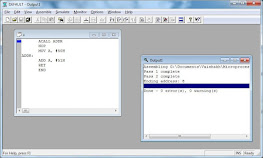
We used 8051 IDE to program Blinking of led with 8051 microcontroller.
8051 IDE is a simple 8051 microcontroller emulator for the 8051 series of microcontrollers, like 8052, 8031, 8751, 8752, etc. The only difference between the different versions is the internal Memory type (ROM, EPROM, etc.) and data RAM size. 8051 is the most popular microcontroller in use.
The program is very simple to use and is a good one for those beginning to do 16-bit microcontroller programming. It has all the features to edit and run an assembly language program. The inbuilt assembler can easily assemble the ASM code. You only need to type the program code into the editor and click “Assemble”.
A real-time view of all memory areas, like the internal and external memory, including SFRs and Control Registry, is available through different windows. Also, the ports (which are actually accessed through specific SFR memory units) can be monitored while running the program. All the debug functions, like step by step operation, break points, stop to and from subroutines, etc., are included as well.
This program is only recommended for beginners. If you are into advanced programming of other components, embedded systems, etc., you will need a more powerful program. you can download it here DOWNLOAD 8051 IDE
We use PROTEUS to draw and simulate the circuit
Proteus Professional 8.6


it was connected on bit 0 of port 1,
Anything written after semicolon( ;) is a comment.
Comment can not be compiled because they are not
instruction. Commenting help other programmers. Also
comments are useful to quickly revised meaning of particular
line of code.
EXAMPLE:
1) LED =HIGH
2) WAIT_5uSec
3) LED = LOW
4) WAIT_5uSec
5) GO BACK TO NUMBER 1
P1.0 is use to access single bit addressable
register.
It allows access to single bits of SFR (special function registers).
Some of SFRs are bit addressable. We can use bit to access
individual bits of
the port. As we have accessed P1.0 Pin by
naming it LED.
The Delay subroutine function used to generate
delay between
turning LED ON and OFF continuously. The delay lasting is
depending your calculation
In the next tutorial we are going to learn how to add switch to our
microcontroller project.
Thank’s guys…. Please feel
free to comments and share
Here is complete code to Blink
LED with 8051 mcu. Please take close
look at the comments which
will be helpful for you to
understand
instruction function of each line. They explanation of
code
provided right
after the code. This program has been tested with those
oftware's listed above


